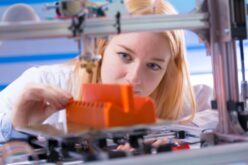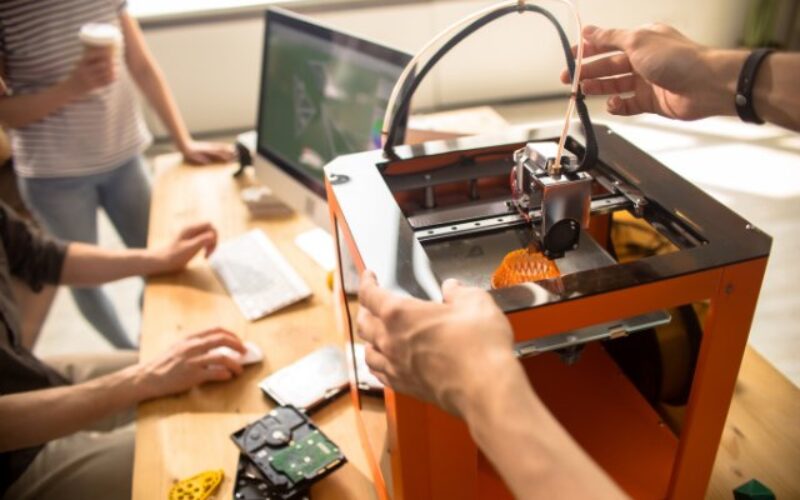
Then the pieces refuse to fit, or the first test sends a tiny plastic arm flying across the room.
A failed prototype can feel frustrating as a class deadline approaches. But a successful print and a successful product aren’t the same thing. The good news is that most early failures offer useful clues about what to change next. Keep reading to discover why your 3D-printed prototype doesn’t work yet.
Looks Aren’t Everything
A model can look flawless in CAD software while concealing serious design problems. The screen doesn’t reveal whether a hinge can rotate freely or whether a phone stand will tip under load.
Before making another print, describe exactly what the prototype should do. For example, a robotic gripper may need to hold an object without slipping, or a snap-fit enclosure may need to open without cracking.
That goal gives every design decision a purpose. A smooth surface looks impressive, but performance earns the grade.
Give Parts Some Breathing Room
Two pieces that fit perfectly in a digital model may jam in real life. Printers introduce small dimensional variations, and melted plastic doesn’t always cool to the exact shape shown on the screen.
When designing a moving joint, leave adequate clearance between its parts. A sliding lid needs enough clearance to move without scraping against the enclosure. Print a small test piece to explore different gaps before committing to a large assembly.
Use calipers to measure what the printer produced. The optimal clearance depends on the machine and material, so avoid copying an arbitrary number from someone else’s project.
Watch the Layer Direction
A 3D printer builds most filament parts by stacking layers. Those layers don’t always bond as strongly to one another as plastic strands within a layer.
Picture a thin bracket holding a motor. If force pulls its layers apart, the bracket may crack even though the printed shape looks sturdy. Rotate the model on the print bed so the main load follows a stronger direction when possible.
Consider where the finished part will bend or twist. Print orientation isn’t just about saving time. It can determine whether the first stress test succeeds.
Question the Infill Setting
Low infill helps students save filament during early experiments. That’s great for checking dimensions, but the same setting may disappoint when a prototype needs to support weight.
Increasing infill can improve certain designs, although a completely solid interior won’t automatically fix every weakness. Wall thickness and the shape of the part also influence strength.
For a clip that keeps snapping at its base, try strengthening that connection rather than filling the entire model with plastic. Strategic reinforcement often saves material while addressing the real failure point.
Pick a Material With Purpose
PLA works well for many classroom prints because it offers straightforward printing and decent stiffness. Still, a material that looks good on display may struggle when a design needs flexibility or encounters heat.
PETG may offer a better combination of toughness and flexibility for certain applications. Other projects may need specialized materials, but those choices can demand different printer settings.
Think about the conditions the prototype will face. A part that holds a classroom sensor has different needs from a clip that repeatedly bends. Match the filament to the assignment instead of grabbing whichever spool has the coolest color.
Respect the Printer’s Limits
Printers have quirks, especially when several students share the same machine. Loose belts or inconsistent extrusion can make dimensions unreliable. Poor bed adhesion may allow corners to lift before the print finishes.
Check the printer’s calibration and inspect a simple test print. Review the slicer’s settings before assuming the CAD model needs a complete redesign. If the first layer looks uneven, address that problem before printing an elaborate assembly.
Ask makerspace staff about recurring issues with a particular printer. Their practical experience can prevent another late-night failed print.
Rethink Tiny Features
Small holes and thin tabs look easy to create on a computer. On a physical print, holes may come out undersized. Delicate details can also disappear or break.
If a screw won’t enter its opening, measure the hole rather than forcing the fastener. A small calibration sample can reveal whether the printer consistently produces the dimensions the design requires.
Make fragile features thicker when the project allows it. For precise holes, consider leaving extra material and finishing them with suitable tools under makerspace supervision.
Check the Support Marks
Complex shapes sometimes need temporary support structures during printing. Those supports help produce overhangs, but removing them can leave rough patches where another component needs to slide.
Inspect the contact surfaces before testing the assembly. Carefully clean accessible support remnants using appropriate tools and safety procedures. Don’t assume a rough hinge means the whole design is wrong.
For the next version, adjust the part’s orientation or redesign the overhang. A small change can reduce cleanup and improve the surfaces that affect movement.
Make Connections Stronger
A prototype often fails where two components meet. Screws can strip plastic threads, and a snap-fit tab can break after just a few attempts.
Consider how frequently someone will assemble the project. For repeated fastening, a suitable threaded insert may last longer than directly threading a screw into a printed hole. A removable pin might also work better than an overly stiff printed hinge.
Choose the connection based on the forces it faces. A clever assembly isn’t helpful if repairing it requires another complete print.
Know When Printing Isn’t Enough
3D printing shines during rapid design changes, but certain features demand greater dimensional accuracy or different material properties. A complex mechanism may need a precise shaft fit or a smooth bearing surface that a classroom printer can’t reliably produce.
That’s where precision machining plays a role in complex components. Machining can create accurate mating surfaces or critical features when the design requires tighter control than the selected printing process provides.
That doesn’t mean abandoning 3D printing. Use prints to explore geometry, then decide whether a final component needs another manufacturing method. Combining processes can make an ambitious project more realistic.
Test One Change at a Time
When a prototype fails, changing five settings at once makes the next result difficult to interpret. Instead, choose the most likely cause and make one adjustment.
Try a slightly larger clearance or a different print orientation, then repeat the same test. Record the settings and photograph the failure point. Short notes become especially helpful when teammates share responsibility for the next revision.
Give each version a clear name so nobody confuses the newest part with an earlier attempt. Good testing habits can save both filament and precious project time.
Turn the Failure Into Progress
Wondering why a 3D-printed prototype doesn’t work yet is a normal part of turning an idea into something useful. Each fit problem or broken feature points toward a design choice worth examining.
Bring the failed part to the next team meeting instead of hiding it at the bottom of a backpack. Measure what went wrong and pick one improvement to test. A working prototype rarely appears through luck. It takes curiosity and the willingness to try again with a smarter plan.
Image Credentials: Seventyfour, # 181329782
end of post … please share it!
PAYING FOR COLLEGE: getting the aid you need
-------------------------------------------------------------------------------------------------------------
end of post idea
-------------------------------------------------------------------------------------------------------------
view home improvement ideas at our Photo Remodeling center
Helpful article? Leave us a quick comment below.
And please share this article within your social networks.